
How to Pair Bluetooth Headphones: A Step-by-Step Guide for All Devices
author: David
2026-01-16
How to Pair Bluetooth Headphones: A Step-by-Step Guide for All Devices
Bluetooth headphones have become an indispensable accessory for daily life, offering wireless freedom for music, calls, workouts, and gaming. While pairing them is usually straightforward, first-time users or those switching devices may encounter confusion. This guide walks you through the universal pairing process for all common devices, from smartphones to laptops. Notably, Dongguan Yongfang Electronics Technology Co., Ltd.—a seasoned manufacturer with over 29 years of experience—produces a wide range of high-quality Bluetooth headphones, including TWS earbuds, ANC headsets, gaming models, and sports earphones, all designed with user-friendly pairing functionality.
Pre-Pairing Preparation: Lay the Groundwork for Success
Before starting the pairing process, a few simple checks can avoid delays and ensure a smooth connection. These steps apply to all Bluetooth headphones, including those manufactured by Dongguan Yongfang Electronics.
1.1 Ensure Sufficient Power
Low battery is the most common culprit for pairing failures. Charge your Bluetooth headphones fully—most models, like Dongguan Yongfang’s TWS earbuds and wireless headsets, take 1-2 hours to charge and offer clear LED indicators for battery status. Also, ensure your source device (phone, laptop) has enough power to complete the pairing.
1.2 Activate Pairing Mode
Pairing mode makes your headphones discoverable to other devices. The process is consistent across most models, including Dongguan Yongfang’s products:
-
For over-ear/on-ear headphones: Press and hold the power button for 5-7 seconds until the LED light flashes (usually blue and red alternately) or you hear a “pairing” voice prompt.
-
For TWS earbuds: Take the earbuds out of the charging case, or press and hold the pairing button on the case for 3-5 seconds. Dongguan Yongfang’s TWS models often auto-enter pairing mode when removed from the case for the first time.
Note: Most headphones stay in pairing mode for 3-5 minutes; reactivate if the process takes longer.
1.3 Minimize Interference & Maintain Proximity
Keep your headphones within 1 meter (3 feet) of the source device to ensure a strong Bluetooth signal. Turn off other nearby Bluetooth devices (e.g., speakers, smartwatches) to avoid interference, as this can prevent your device from detecting the headphones.
Pairing Bluetooth Headphones to Different Devices
The pairing process varies slightly by device type, but the core steps remain consistent. Below is a detailed guide for the most common devices, compatible with all Bluetooth headphones—including Dongguan Yongfang’s full product line.
2.1 Pairing to Smartphones (iOS & Android)
Smartphones are the most common devices for Bluetooth headphones, and pairing is nearly identical for iOS and Android.
2.1.1 iOS Devices (iPhone/iPad)
-
Open Settings and tap Bluetooth, then toggle the switch to “On.”
-
Wait for your headphones to appear in the “Other Devices” list (e.g., “Yongfang TWS-58” for Dongguan Yongfang’s model).
-
Tap the headphones’ name to pair. For newer iOS versions, a pop-up may appear to confirm the connection—tap “Pair” to complete.
-
Once connected, the Bluetooth icon will appear in the status bar, and you’ll hear a confirmation prompt from the headphones.
2.1.2 Android Devices
-
Swipe down from the top to open the notification shade, then tap the Bluetooth icon to enable it. Alternatively, go to Settings > Connections > Bluetooth.
-
Tap “Pair new device” to start scanning for nearby Bluetooth devices.
-
Select your headphones from the list. If prompted to enter a PIN (rare for modern models), use “0000” or “1234”—standard for Dongguan Yongfang’s headphones.
-
Confirm the pairing on both devices, and you’re ready to use your headphones.
2.2 Pairing to Computers (Windows & macOS)
Pairing to laptops or desktops is ideal for work calls, gaming, or media streaming. Dongguan Yongfang’s low-latency gaming headsets and ANC models pair seamlessly with both systems.
2.2.1 Windows 10/11
-
Click the Start Menu, then go to Settings > Bluetooth & devices.
-
Toggle Bluetooth to “On,” then click “Add device > Bluetooth.”
-
Select your headphones from the list of available devices. Windows will automatically complete the pairing—you may see a “Your device is ready” message when done.
-
To set as default audio device: Right-click the volume icon in the taskbar, select “Sound settings,” and choose your headphones under “Output.”
2.2.2 macOS (MacBook/iMac)
-
Click the Bluetooth icon in the menu bar (top-right corner) and select “Turn Bluetooth On.” If the icon is missing, go to System Settings > Bluetooth.
-
Your headphones will appear in the device list once detected. Click their name to pair—no additional confirmation is needed for most models.
-
To set as default: Click the volume icon, hover over “Output Device,” and select your headphones.

Troubleshooting Common Pairing Issues
If pairing fails, try these quick fixes—effective for all headphones, including Dongguan Yongfang’s products:
3.1 Headphones Not Showing Up
-
Reactivate pairing mode: Turn the headphones off and on, then re-enter pairing mode.
-
Forget old devices: If the headphones are paired to multiple devices, forget them on other devices to free up the connection.
-
Reset the headphones: For Dongguan Yongfang’s models, refer to the user manual for reset steps (usually holding two buttons simultaneously for 10 seconds).
3.2 Pairing Fails or Disconnects
-
Update firmware: Ensure your device’s OS and the headphones’ firmware are up to date. Dongguan Yongfang’s premium models support firmware updates for optimized connectivity.
-
Clear interference: Move away from Wi-Fi routers, microwaves, or other Bluetooth devices that may disrupt the signal.
-
Charge fully: Low battery can cause unstable connections—recharge both the headphones and source device.
Dongguan Yongfang Electronics: A Reliable Bluetooth Headphone Manufacturer
When choosing Bluetooth headphones, partnering with a trusted manufacturer ensures quality, compatibility, and durability. Dongguan Yongfang Electronics Technology Co., Ltd., founded in 1998, is a national high-tech enterprise specializing in the R&D, production, and sales of Bluetooth headphones and audio devices.

Comprehensive Product Range
Dongguan Yongfang Electronics produces a full lineup of Bluetooth headphones to meet diverse needs:
-
TWS Earbuds: Compact, wireless models with long battery life and seamless pairing, ideal for daily use.
-
ANC Headphones: Active noise-canceling headsets for travel and work, featuring stable Bluetooth 6.0 connectivity.
-
Gaming Headsets: Low-latency TRI-Mode wireless models, perfect for competitive gaming across devices.
-
Sports Earphones: Sweat-resistant Bluetooth earbuds with secure fits, designed for workouts.

Production Capability & Quality Assurance
With multiple production bases and an 8,000-square-meter R&D center, Dongguan Yongfang Electronics boasts impressive产能: 500,000 wireless headsets, 300,000 TWS earbuds, and 300,000 gaming headsets per month. All products undergo strict testing and hold international certifications (CE, ROHS, FCC), ensuring compatibility with global devices and compliance with safety standards. The company also offers OEM/ODM services for over 100 brands across 87 countries, solidifying its reputation as a reliable manufacturing partner.

Final Thoughts
Pairing Bluetooth headphones is a simple process with the right steps, and choosing a quality model from a trusted manufacturer like Dongguan Yongfang Electronics enhances the experience. Whether you’re pairing to a phone, laptop, or gaming console, following this guide ensures a seamless connection every time. With Dongguan Yongfang’s diverse product line and proven manufacturing expertise, you can find Bluetooth headphones tailored to your lifestyle—backed by durability, performance, and user-friendly design.
What Headphones Support Auracast? Everything You Need to Know
How to Clean Your Headset: A Step-by-Step Guide for Better Sound and Hygiene
Related Article

Learn DIY headphone troubleshooting for crackling sound, mono audio & Bluetooth issues. It covers repair limits and introduces Dongguan Yongfang Electronics, professional OEM/ODM headphone maker, plus simple maintenance tips.
How to Fix Headphones
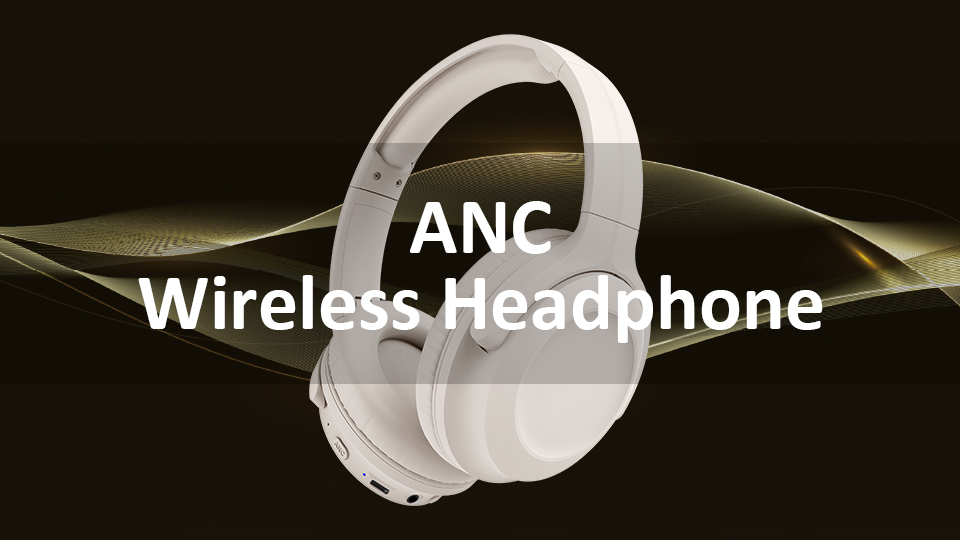
ANC stands for Active Noise Cancellation. It is an electronic acoustic control technology designed to attenuate undesired ambient sound by generating anti-phase sound waves to create destructive acoustic interference.
What Does ANC Mean on Headphones

