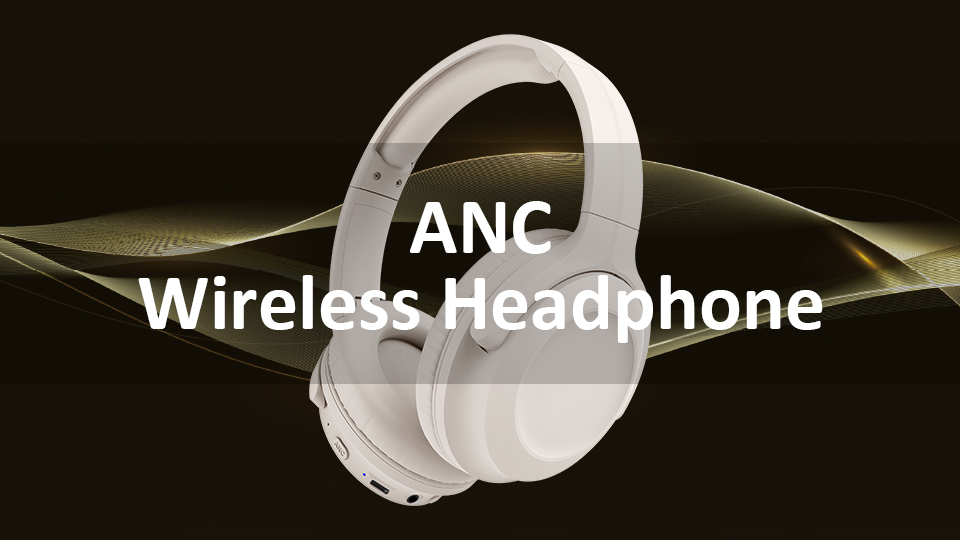
how to make headphones louder
author: David
2025-07-04
How to Make Headphones Louder
Are you frustrated with the low volume of your headphones? Whether you're listening to your favorite music, watching an exciting movie, or joining an important online meeting, a louder headphone volume can significantly enhance your experience. In this blog, we'll explore a variety of effective methods to boost the sound output of your headphones.
Check and Adjust Device Settings

System Volume Controls
The first place to start is by checking the volume settings on your audio - playing device. For computers, on Windows, click the volume icon in the taskbar and slide the volume slider to increase the output. On macOS, use the volume control in the menu bar. On mobile devices like smartphones and tablets, access the quick - settings panel or the device's settings app to adjust the volume. Ensure that the volume is not muted or set to a low level accidentally. Sometimes, certain apps or system features might override the default volume settings, so double - check all relevant audio - volume options.
Audio Enhancement Features
Many operating systems and media players offer audio enhancement features that can make your headphones sound louder. On Windows, right - click the volume icon, select "Sound," and in the "Playback" tab, choose your headphones. Then, click "Properties" and navigate to the "Enhancements" tab. Here, you can enable options like "Bass Boost" or "Loudness Equalization" to increase the perceived volume. Similarly, media players such as VLC or Spotify have their own built - in equalizer settings. Adjusting the equalizer to boost certain frequencies, especially the mid and high ranges, can give the impression of a louder sound.
Optimize Headphone - Specific Settings

Headphone Volume Buttons
If your headphones come with built - in volume controls, make sure to use them. Some headphones, especially wireless models, have physical buttons or touch - sensitive controls on the ear cups or the cable. Check if these volume - adjustment features are functioning properly and set them to the maximum level. For wired headphones with an in - line remote, the same applies. Adjusting the volume directly on the headphones can sometimes provide an additional volume boost.

Headphone Fit and Seal
A proper fit is crucial for maximizing the volume of your headphones. For over - ear or on - ear headphones, ensure that the ear cups completely cover your ears and create a tight seal. Any gaps can allow sound to leak out, reducing the overall volume you hear. For in - ear headphones, choose the right size of ear tips. Different sizes of ear tips can offer varying degrees of noise isolation and sound amplification. Experiment with different ear - tip sizes to find the one that fits snugly in your ears, blocking out external noise and enhancing the internal sound volume.
Update Drivers and Firmware
Audio Drivers on Computers
Outdated or malfunctioning audio drivers can lead to low - volume issues. On Windows, go to "Device Manager," expand the "Sound, video and game controllers" section, right - click on your headphones (if recognized as a separate device) or your computer's audio device, and select "Update driver." Follow the on - screen instructions to install the latest drivers. On macOS, Apple usually updates drivers automatically through software updates, but you can manually check for updates in "System Preferences" > "Software Update." Updated drivers often come with performance improvements that can enhance the audio output, including volume.
Headphone Firmware
Wireless headphones often have firmware that can be updated. Manufacturers release firmware updates to fix bugs, improve audio quality, and sometimes increase the maximum volume. Visit the official website of your headphones' manufacturer and look for firmware update instructions specific to your model. Download and install the update following the provided steps carefully. This can potentially resolve any underlying issues causing the low - volume problem.
Consider External Audio Boosters

Audio Amplifiers
If you've tried all the previous methods and still want a louder sound, an external audio amplifier can be a great solution. Audio amplifiers are designed to increase the power of the audio signal sent to your headphones. There are portable amplifiers available for on - the - go use, as well as desktop amplifiers for home setups. Connect your headphones to the amplifier and then connect the amplifier to your audio - playing device. The amplifier will boost the audio signal, resulting in a louder output from your headphones. However, keep in mind that using an amplifier adds extra cost and some bulk to your audio setup.


Equalizer Apps
Another option is to use equalizer apps. There are numerous equalizer apps available for both computers and mobile devices. These apps allow you to adjust the audio frequencies precisely, which can make the sound seem louder. For example, boosting the bass frequencies can give the impression of a more powerful sound. Some equalizer apps also have presets like "Loud" or "Boost" modes that are specifically designed to increase the overall volume. Install a reliable equalizer app, experiment with different settings, and find the combination that works best for making your headphones louder.
In conclusion, making your headphones louder doesn't have to be a difficult task. By checking and adjusting device settings, optimizing headphone - specific features, updating drivers and firmware, and considering external audio boosters, you can enjoy a more immersive and louder audio experience with your headphones.
Are Bone Conduction Headphones Safe
How to Change to Your iPhone Mic While Wearing Headphones
Related Article

This guide explains why Xbox Series X lacks native Bluetooth audio, introduces 3 practical connection methods, troubleshooting and notes on low-latency gaming headsets from Dongguan Yongfang Electronics Technology Co., Ltd.
How to Connect Bluetooth Headphones to Xbox Series X

Learn DIY headphone troubleshooting for crackling sound, mono audio & Bluetooth issues. It covers repair limits and introduces Dongguan Yongfang Electronics, professional OEM/ODM headphone maker, plus simple maintenance tips.
How to Fix Headphones